Blog

  • Your Profile

    Your Profile

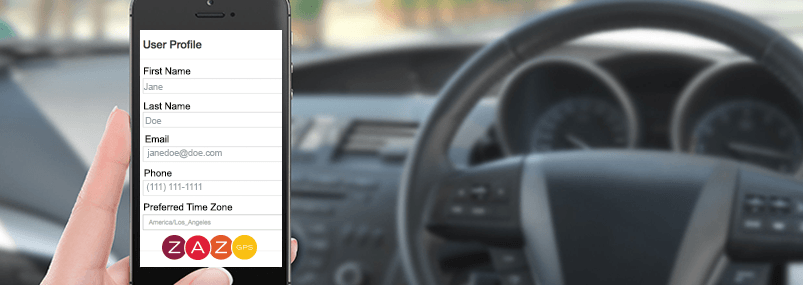
    Once you’ve registered your account, make sure you set up your profile. It takes less than a minute and it’s well worth it to not only protect your identity, but for new features coming down the pike soon! ZAZ let’s you:

    • Create your profile including adding in your contact info
    • Set up automated notifications and the email you want to send them too
    • Make sure ZAZ is set to your time zone
    • Now you’re connected to your car!
  • Your Car Info

    Your Car Info

    Make sure you add in all your vehicle information so you’ll have it at your fingertips if you should ever need it. You can:

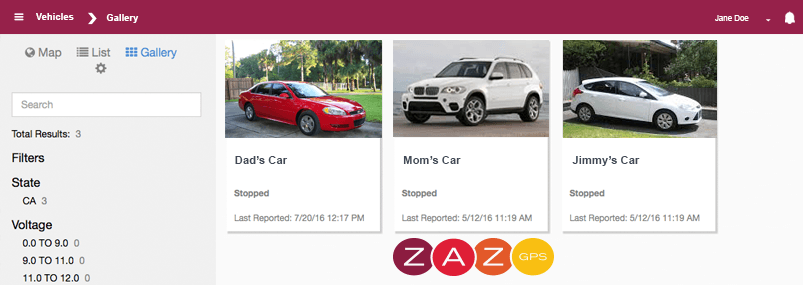
    • Add a photo of your car
    • Give it a name (especially if you choose to add multiple cars to ZAZ)
    • Your VIN should already be there from when you purchased your car
    • Your Make, Model and Year should also already be there

    You can also update the number of miles driven if you are tracking for maintenance or for write offs at the end of the year. ZAZ updates mileage automatically for you based on GPS miles driven. This can sometimes become out of sync.

  • Your Connected Car

    Your Connected Car

    ZAZ GPS makes your car smarter, safer and more connected. It keeps you connected to your car giving you info such as:

    • Location and time
    • Motion and direction
    • When and where your car stops
    • History of stops
  • Auto Alerts

    Auto Alerts

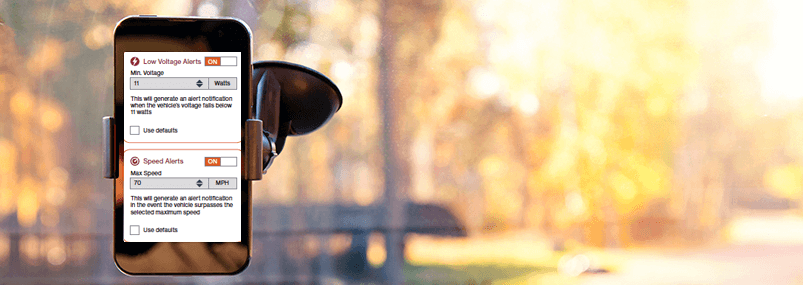
    Don’t forget to take advantage of ZAZ’s automated alerts. You can set up alerts to warn you when:

    • Your car battery’s life is getting low
    • You car exceeds a speed, you know, you son takes it out on a Friday night
    • Your car passes a mile marker, like when it’s time for it’s 15,000 mile service

    You can send the alerts right to your phone to help you stay on top if it too!

  • Map & Tracking

    Map & Tracking

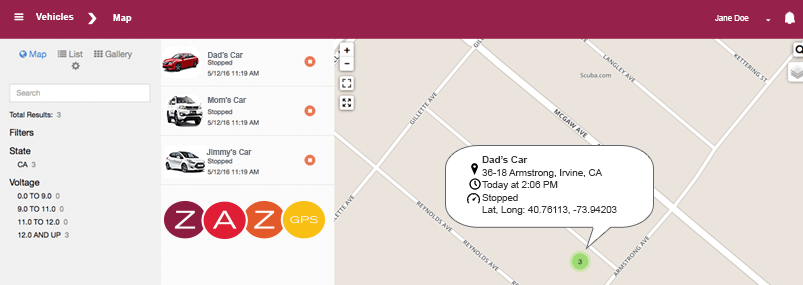
    The ZAZ App uses Google Maps to show you the last known location of your car. In fact, you’ll be able to click into that location and see:

    • Location including Street, City & State
    • Date & time
    • Vehicle speed

    You can also change your map view from a street view to a satellite view too.

  • Boundries/Geofences

    Boundries/Geofences

    You can create boundaries (or what many people call geofences) around areas that you want ZAZ to send you an alert if your car enters or exists them. Like say for example, your teen is driving to college. You can create a boundary around their dorm or the campus. ZAZ will notify you immediately once they arrive.

    ZAZ lets you draw your own free-form boundary or use preset circular or polygon shapes. You can set up alerts to notify when your car enters, exits or both. You can add and delete boundaries on the fly.